


MON – FRI
08:00am – 17:00pm
SAT – SUN
08:00am – 17:00pm
 SHOP NOW - All Product Categories Here



















USB-C Connection
Use a USB-C to USB-C cable to connect the monitor to the USB-C port on your laptop. Note that a fully functional USB-C port is required.
*A full-featured USB-C port supports power, data transfer, and video output.
USB& HDMI Connection
A regular USB-C and HDMI port are required. Connect the monitor using the USB-C to USB-C and HDMI to USB-C cables. Be sure to connect the USB-A cable first and the HDMI cable second. Don't reverse the order.
Notice: The USB-A/USB-C cable must be connected to the first two type-C ports on the back of the monitor, and the HDMI cable must be connected to the third port.
Message Us to Get More Assistance!
If you have any questions, please refer to the product manual to get in touch with us. Our dedicated service team will be happy to assist you! For quicker assistance, kindly provide your computer model and order number so we can check compatibility for you.

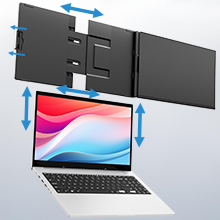
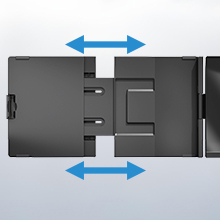


| Brand | Teamgee |
| Screen size | 15.6 Inches |
| Resolution | FHD 1080p |
| Aspect ratio | 16:9 |
| Image contrast ratio | 1000:1 |
| Response time | 1 Milliseconds |
| Refresh rate | 60 Hz |
| Display resolution maximum | 1920 x 1080 Pixels |
| Special feature | Portable, Lightweight, Ultra-Slim, Tilt Adjustment |
| Connectivity technology | USB, HDMI |


LJ-Automotive is a Global Retailer & Authorised Dealer of FK Automotive, Simoni Racing, Autostyle, RDX Racedesign, JOM & MTS Technik product ranges.
