MON – FRI
08:00am – 17:00pm
SAT – SUN
08:00am – 17:00pm
SHOP NOW - All Product Categories Here
When I try to connect this adapter from the iOS Bluetooth menu, it says "not supported." What should I do?
iOS devices: Do not pair the adapter via Bluetooth. Open your app, configure in-app settings, and connect directly. If you tried pairing (got "Not Supported"), restart your iOS device and follow above steps.
Do l need to pay extra to use this device? Can l use it on multiple vehicles?
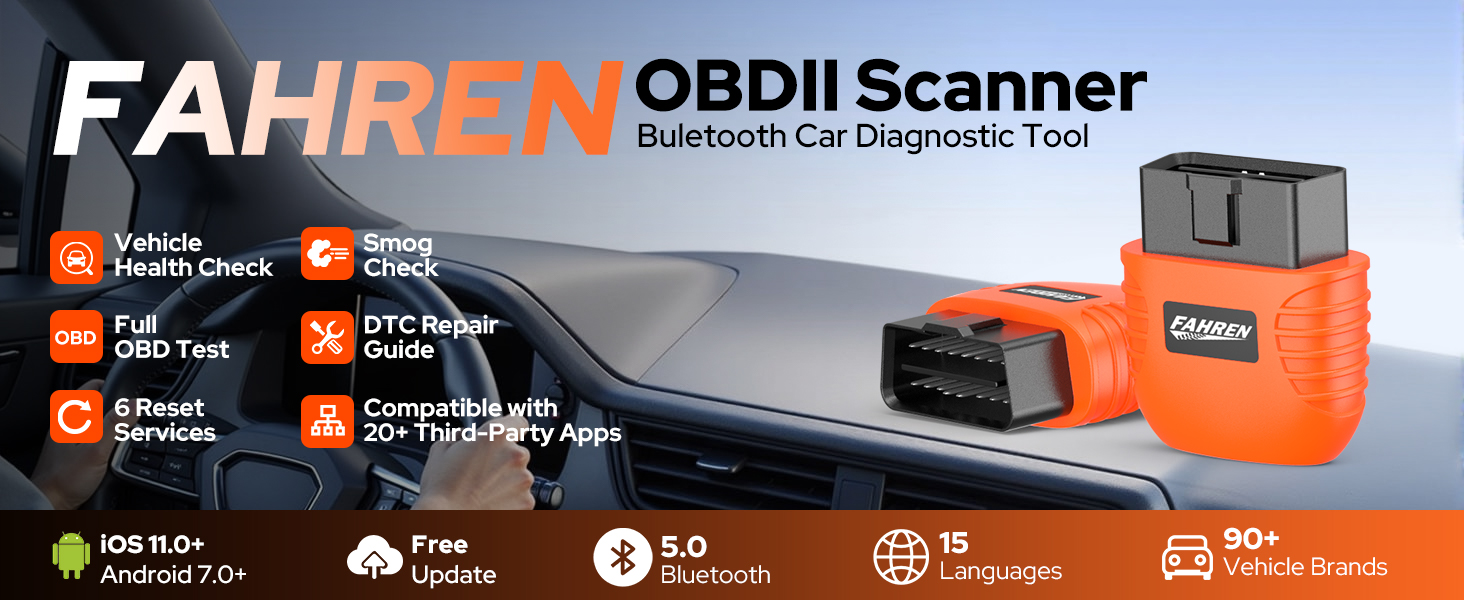
This adapter requires a third-party app (most are available at no cost, while some may have a fee determined by the developers; additional features may be available within the app). It is compatible with all OBDII-compliant vehicles.
How to resolve Bluetooth pairing failure of the adapter on Android/Windows?
Bluetooth connection note: Enter PIN 1234 or 0000 if prompted. Restart your phone and retry if pairing fails after PIN entry or a 16-digit PIN is requested. For some Android head units, set the pairing PIN to 1234 (default).
Can l leave the device plugged in all the time?
Powered by the vehicle's OBD port, this adapter uses low-energy Bluetooth. It can stay plugged in for several days to two weeks (varies by vehicle battery condition), but we strongly recommend removing it after use.
What should I do if "NEXAS" does not appear in my phone's Bluetooth list?
Note: Blue LED not flashing when plugged in? Check vehicle’s cigar lighter fuse (common: blown) or test adapter on another vehicle. LED on then off, no Bluetooth? Try another phone/tablet. iOS users who paired via Bluetooth menu: restart device.
| Brand | FAHREN |
| Power source | Battery Powered |
| Product dimensions | 6.7L x 2.9W x 7.7H centimetres |
| Operating system | Android 10.0, Android 11.0, Windows 10 |
| Automotive Fit Type | Universal Fit |
| Manufacturer | FAHREN |
UK / Germany / Netherlands / Italy / USA
08:00am – 17:00pm
08:00am – 17:00pm