


MON – FRI
08:00am – 17:00pm
SAT – SUN
08:00am – 17:00pm
 SHOP NOW - All Product Categories Here





















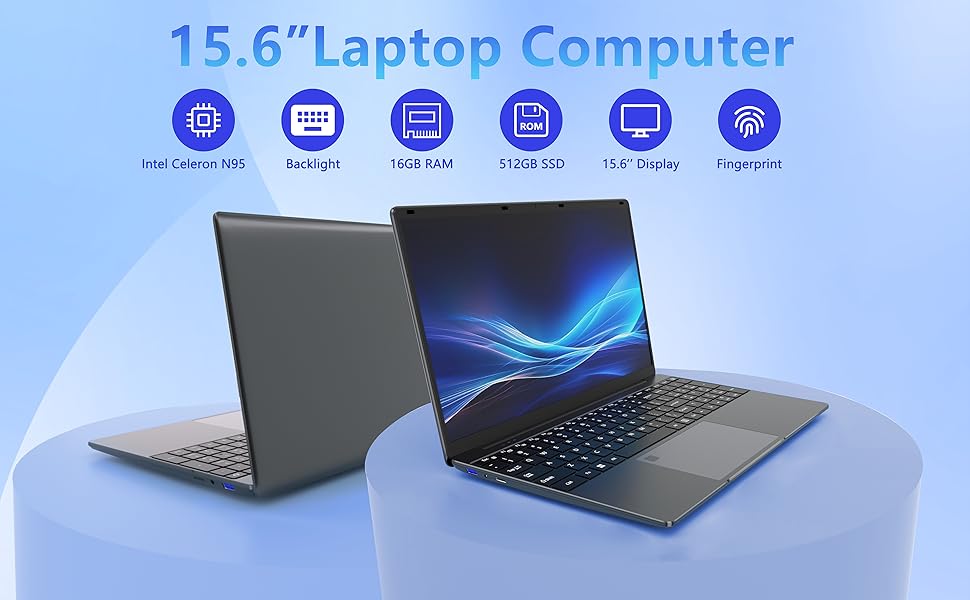
For business or pleasure, this laptop is tailored to suit your needs, serving as the ultimate everyday computing device.
Sporting a sleek and robust design reminiscent of a stealthy warrior, its matte finish enhances both durability and tactile comfort, making it irresistible to the touch. This slim and lightweight 15.6-inch laptop offers unparalleled portability, measuring a mere 22.5*35.5cm and weighing just 1.5kg.
Under the hood, it boasts a Celeron N95 processor paired with 8GB of RAM and a lightning-fast 512GB SSD, ensuring seamless multitasking and ample storage for all your data and files.

We use the commonly used system to ensure smooth operation.
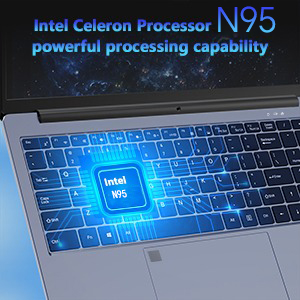
Powered by the Celeron N95, this laptop PC features a four-core, four-thread SoC from the Jasper Lake series. Boasting a base frequency of 2GHz and turbo frequency of up to 3.4GHz, it operates at a TDP of 15W with a 4MB L3 cache and supports 4K 60Hz resolution. Capable of effortlessly handling everyday tasks such as web browsing and video streaming, it's the ultimate choice for office professionals and students alike.

Equipped with a spacious 512GB SSD, this laptop takes storage to new heights. It has lightning-fast read speeds and is superior to traditional storage options. While many laptops only offer 256GB or 128GB SSDS, 512GB provides plenty of space to store a lot of data and files.

Battery life is paramount when using a laptop PC on the move. With a full charge, this laptop can operate continuously for up to 3-5 hours, providing ample power for a day's work. Whether you're out and about without access to a charging point or simply prefer not to carry a charger, it remains by your side for the entire a couple of hours r duration. This exemplifies the device's portability, a key feature essential for today's dynamic usage scenarios. Whether you're on a plane, in the park, or at a coffee shop, the laptop's battery endurance stands the test, ensuring uninterrupted productivity wherever you go.

This laptop's keyboard features indicator lights for added convenience. Simply press and hold FN+F5 to adjust the brightness and toggle the lights, which come in two adjustable settings, making it effortless to use the laptop in low-light conditions.
There is a numeric keypad next to the keyboard that was initially deactivated. It can be activated by holding down FN+ESC to improve the efficiency of entering numeric data.
Below the keyboard, you'll find a fingerprint reader for secure unlocking, ensuring your data remains protected from unauthorized access. Additionally, a 13.4*7.9cm touchpad serves as a versatile 2-in-1 input device.
Fingerprint unlocking offers robust security measures, safeguarding your sensitive information, while the option to set a PIN code, password, and fingerprint simultaneously further fortifies your privacy. Initial setup is hassle-free, guided by an intuitive wizard upon first use.
The generously sized 13.4*7.9cm touchpad provides seamless control and eliminates the need for an external mouse, enhancing portability. Renowned for its expansive control area and precise responsiveness, it sets a new standard among laptops.
| Brand | LEEDOW |
| Model name | ANL5-N95 |
| Screen size | 15.6 Inches |
| Colour | Gray |
| Hard disk size | 512 GB |
| CPU model | Celeron N |
| RAM memory installed size | 16 GB |
| Operating system | DOS |
| Special feature | Touch ID Fingerprint Unlocking, 15.6-inch UHD Display, Smart Cooling Fan |
| Graphics card description | Integrated |


LJ-Automotive is a Global Retailer & Authorised Dealer of FK Automotive, Simoni Racing, Autostyle, RDX Racedesign, JOM & MTS Technik product ranges.
